

Your weekly check-up
A short report on how your business showed up on Google, with one job for the week.
Get it every Friday
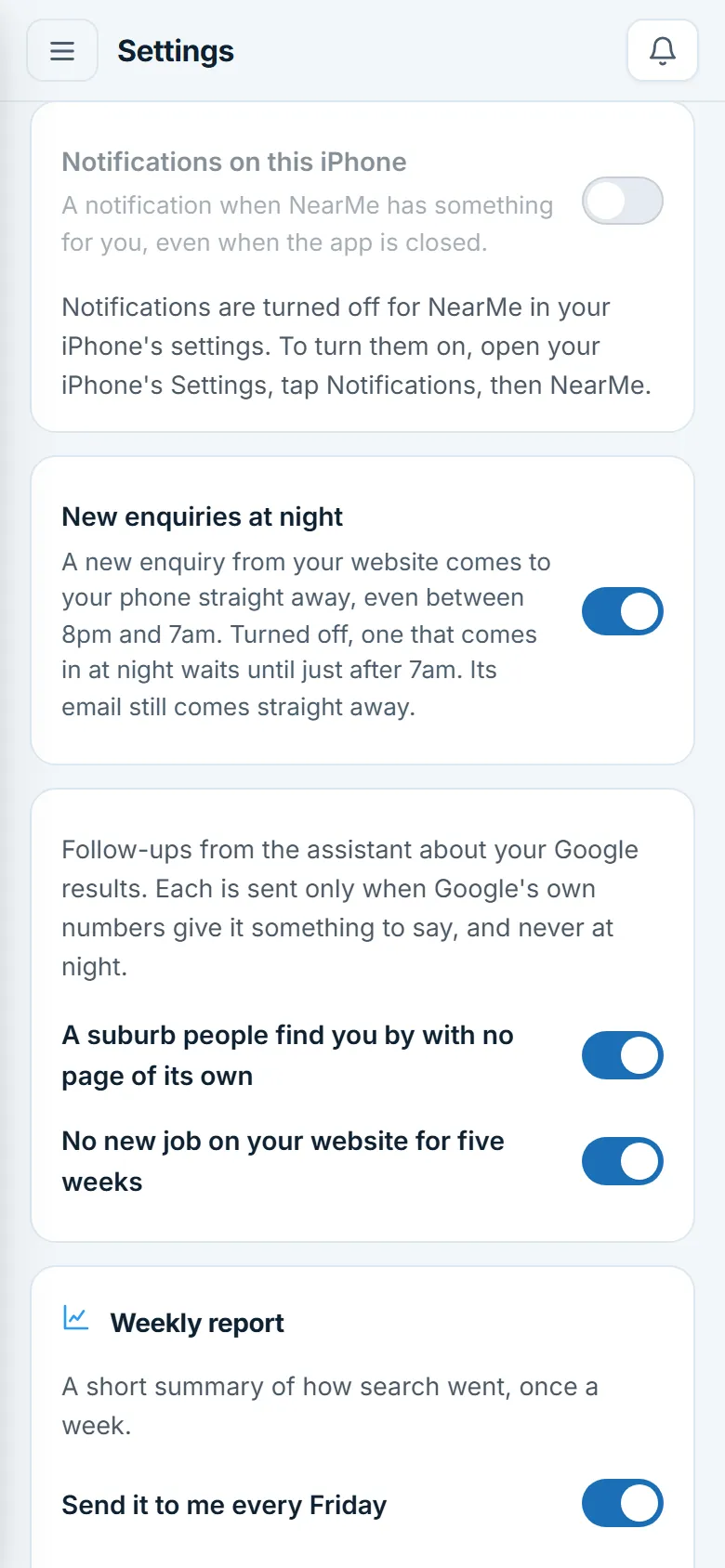
- Go to Settings > Notifications.
- In the Weekly report card, switch on Send it to me every Friday.
At 4:45pm on Friday a note with Open your check-up appears in Announcements, with a notification.
Owner only
Only the owner sees the Weekly report card. It’s off until you turn it on, and it unlocks once your trade and suburbs are on record.
What’s in it
- This week: the one thing to know.
- Your job this week: one thing to do. Tap Do this for me, or I’ve done this once it’s done.
- Where you show on Google’s map.
- You and the other businesses in your trade near you.
- How often AI answers name you, once our team has set it up.
- Problems with your website.
- What we did for you.
- Last week in numbers, with more under Show more.
Finding it again
Open Reports in the sidebar. A dot shows when a new one is waiting. Before your first check-up, Reports shows how your website does in Google Search.
Still stuck? Tap Get help in the app, or email connect@nearme.com.au.